
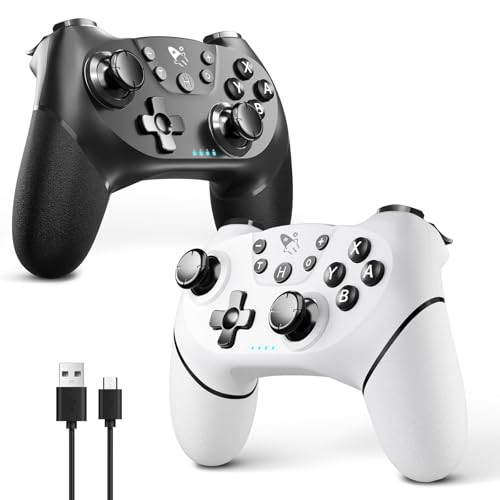


AceGamer Wireless Pro Controller for Nintendo Switch/Lite/OLED/Switch 2/PC, 2 pack, Dual Vibration/Turbo/Ergonomic ! (Black&White)
Original price was: $27.98.$24.98Current price is: $24.98.
🎮【2 Packing For Switch Controller】Two controllers are packaged in one box, which is less costly than buying two controllers separately. You can get two different custom designed controllers at the same time, which is very cost-effective.This will bring you a better game experience when you play with your friends, lover, family.
🎮【Multiple Compatibility】AceGamer Wireless Controller for Switch Pro is fully compatible with Switch/Switch Lite/Switch OLED/Switch 2/PC, also compatible with Windows PC and Android Phone, and perfectly compatible with games. No need to install any driver.
🎮【Stable Wireless Connection】The Controller for Switch provides stable and reliable signal without delay or drop-off within 8-10 meters.After the first time pairing with switch console, you could simply press the HOME button on the controller to wake up both the controller and the game console, even if the console is in sleep.Please read the user manual first before pairing.’Note’: can’t wake up Switch 2 console with a single click.
🎮【Gyro Sensor&Dual Vibration】The Wireless Controller for Switch Pro with the 6-axis gyro sensor, can detect the inclination of the controller and make a quick response, dual analog sticks and expansion triggers provide precise movement control. And dual vibration motors that provide you excellent vibration feedback to enhance the game immersion.
🎮【Ergonomic Non-Slip】AceGamer Wireless Controller for Switch Pro based on ergonomic and designed to fit your hands perfectly, and light weight construction easier to grip than other controllers.The anti-slip design of silicone grip allows you not to worry about the influence of sweat on your game control, so that you can enjoy the game happily and comfortably for a long time.
🎮【How to connect SW 2?】1. Find the controller settings and click “Change grip/Order.”2. Press and hold the controller’s “HOME” button for 3-5 seconds until the LED light flashes.3. Once the controller and host are paired, LED1 will remain lit.


